
How to make your donation work even harder.
AKA: How to claim or regift your tax credit
For every donation you make to Auckland Women’s Centre, you can claim 33.33% back as a tax credit, and you can claim up to four years’ worth of donations if you haven’t already done so. Below are details on how to claim this yourself through the IRD.
IRD Process
You can claim your tax rebate online using your tax receipt – this can be a PDF, photo, or scanned copy of a physical receipt.
You will need either a myIR login or a RealMe login.
Please note:
If you make a one-off donation, submit the receipt you receive each time.
If you are a regular giver (Fab Feminist), you will receive an end-of-year receipt summarising your monthly donation amount.
If you made both one-off and regular donations during the year, you will need to submit both the single donation receipts and the end-of-year receipt.
We’ve put together a step-by-step guide to help you:
1. Register, or log in to your myIR account. If you do not have one, please take note when you are signing up that you want to be able to receive donation tax credits. You will need your IRD number.
2. Once you have signed in and are are on the home page you will see on the page, underneath ‘accounts summary’, there will be a ‘donation tax credit’ option. Click on this to begin the process.
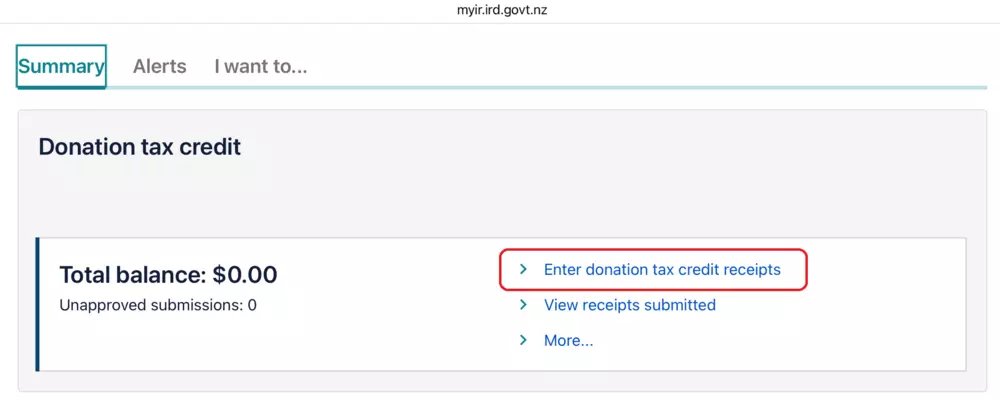
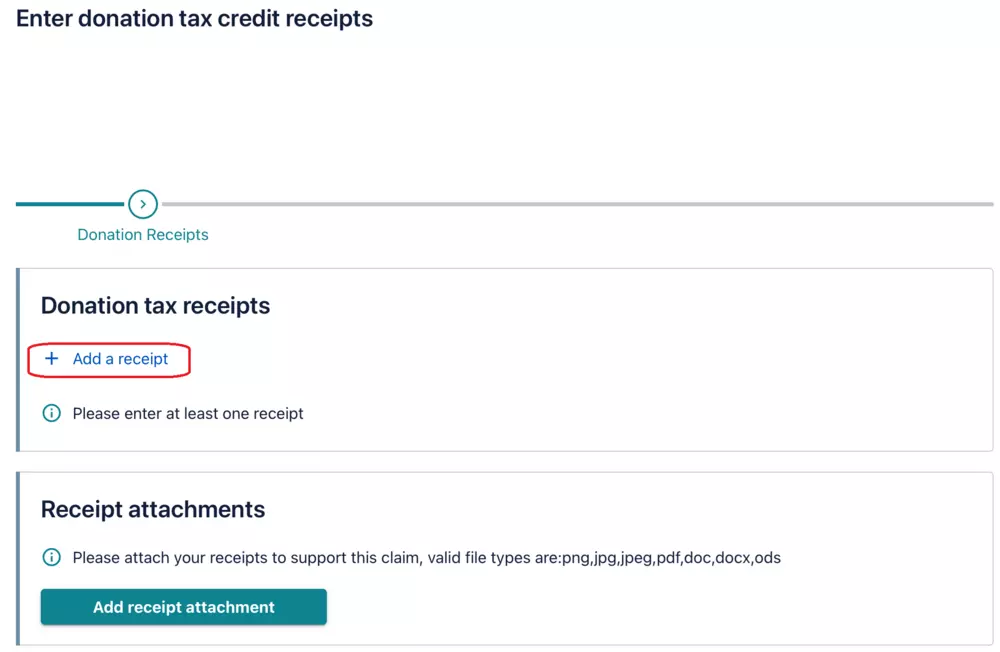
3. This will bring up a page, which says ‘Enter donation tax credit receipts’. Select to ‘Add a receipt’.
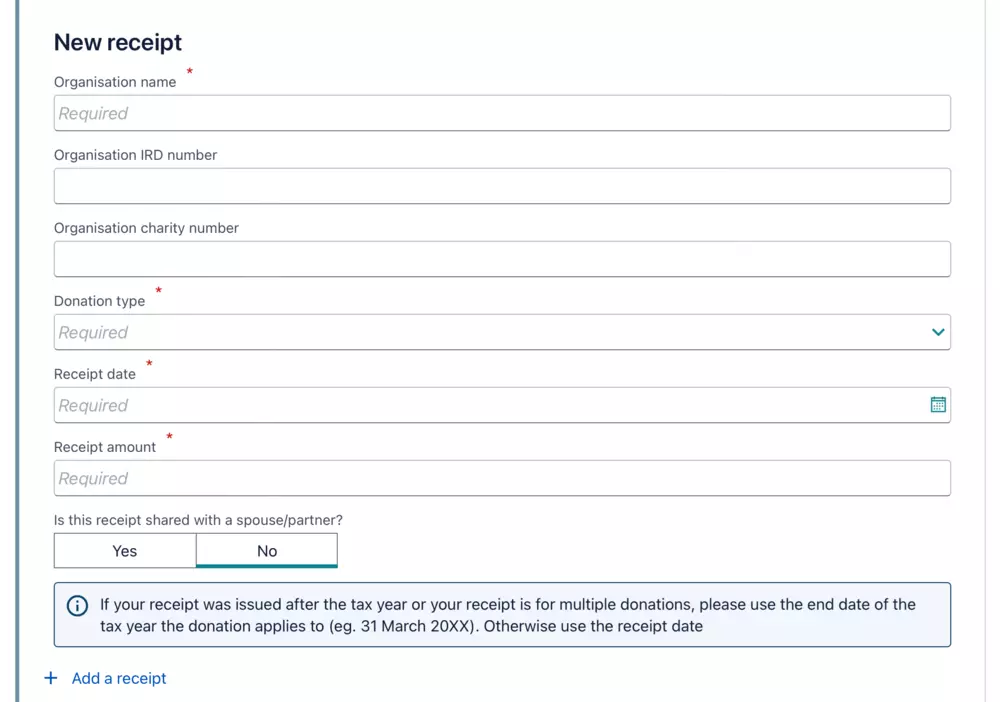
4. You will need to enter the details of the donee/organisation name. This is The Auckland Women’s Centre.
5. Our charity registration number is CC27188
6. You will also need to enter our IRD number which is 030-286-049 and the amount you have donated. This has been collated on your donation receipt.
7. The form will ask what type of organisation- religious, school, kindergarten or other. For The Auckland Women’s Centre this will be ‘other’.
Then select ‘Next’
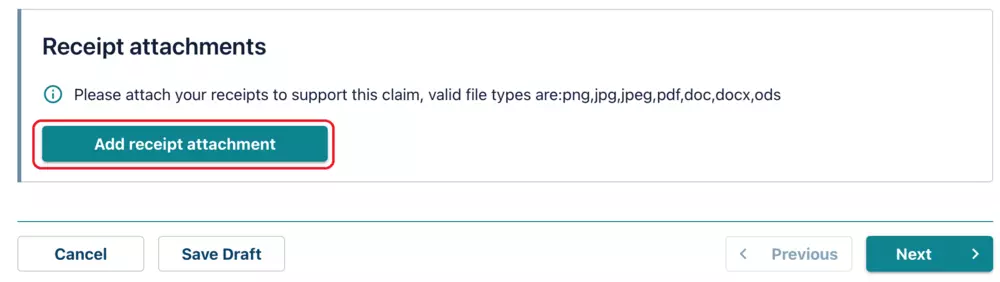
8. Next you will click ‘Add receipt attachments’. You can attach the receipt by saving the pdf to your own computer and uploading it. If you have a physical copy the IRD will also accept a scan or a photo of the receipt. You will need to select the type of attachment and put in a description of the document ‘eg – Tax receipt 2025’
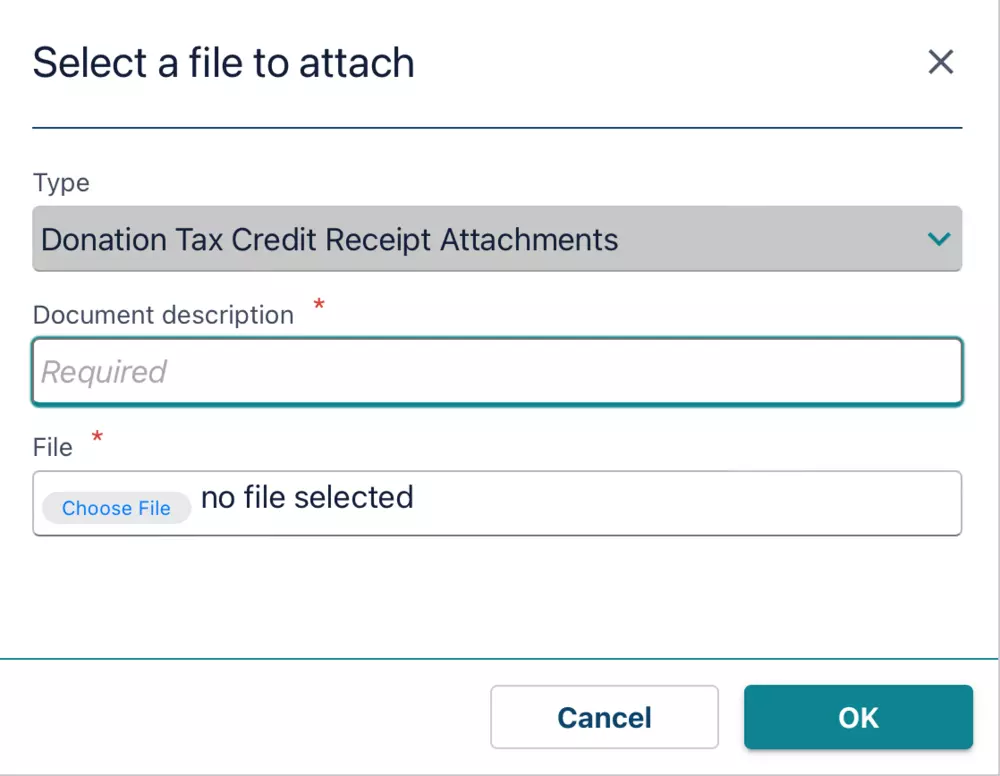
9. Once all of the required fields have been filled you can press ‘OK’ to go through to the following page. This will summarise the receipt details. If it all looks correct, press ‘next‘ again.
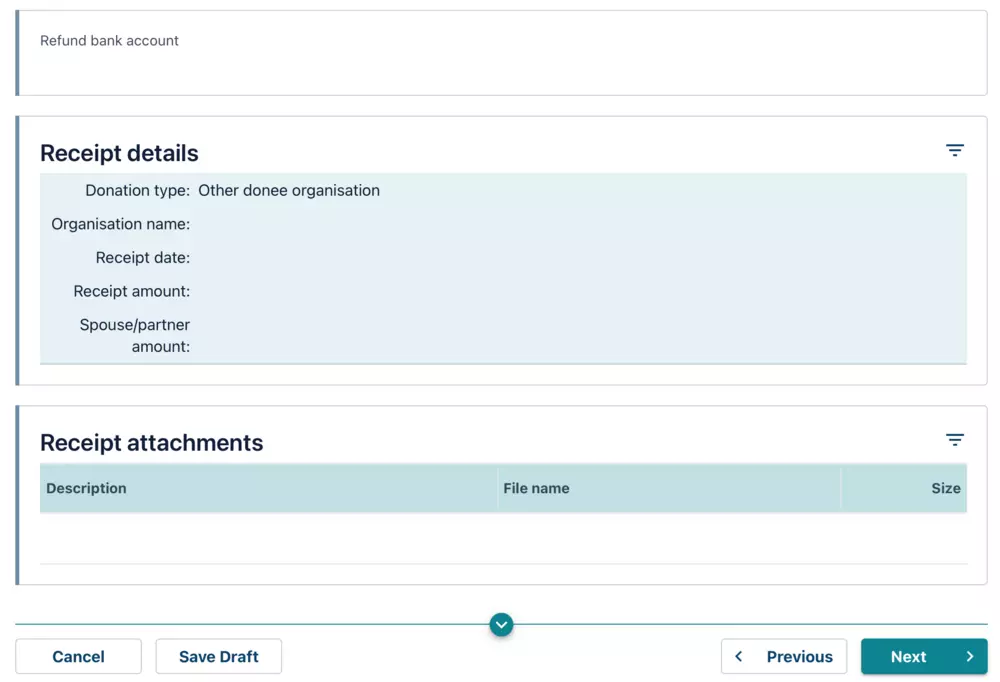
10. On the final page it will ask you if you would like to transfer your credit. You can press ‘yes‘ if you wish to do so (for example back to The Auckland Women’s Centre) and ‘no‘ if you would like the credit to come back to you.
Then press submit!
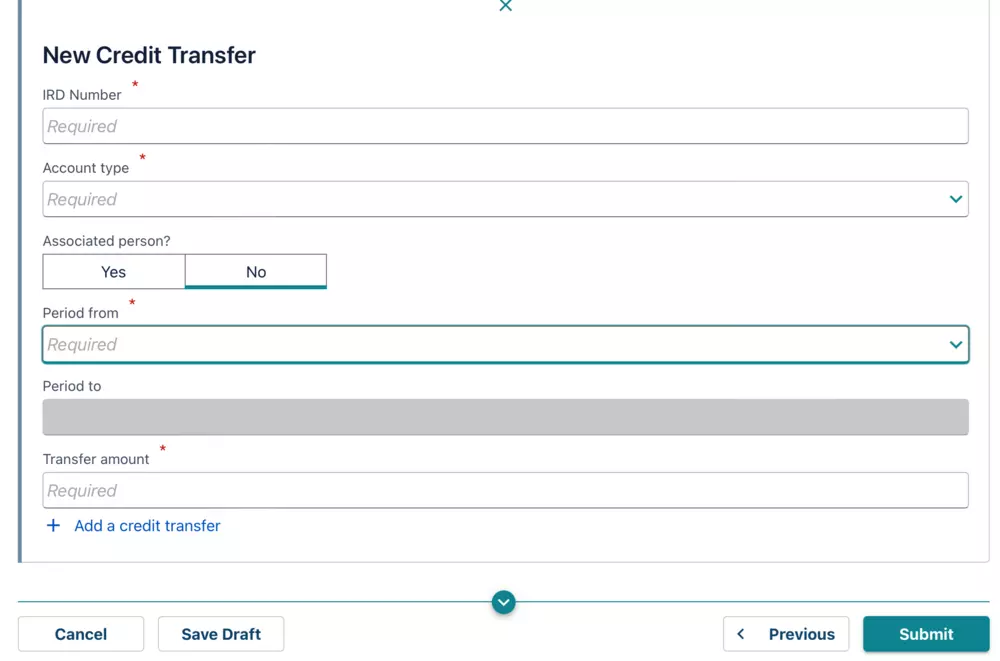
If you would like to donate your credit back to Auckland Women’s Centre, thank you so much! You are able to do this at the end of the online process.
Once you have filled in all your details to re-gift the money back to the AWC, select ‘Submit‘. Then you are done!
Alternatively, please feel free to get in touch with us at 09 376 3227 or becca@womenz.org.nz
Your tax refund could help ensure:
- Someone doesn’t delay getting therapeutic support because of cost
- Our courses remains accessible to someone rebuilding after abuse
- We can continue to serve many more women like Sarah, for years to come.
Thank you for supporting Auckland Women’s Centre and helping advocate for the rights and wellbeing of wāhine and our gender diverse community.